
Multi-tenant buildings
One front desk, many tenants, each with its own visitor list.
ReceptionOS serves every company in a shared building from one front desk. Add each tenant company and give it a tenant admin who sees only their own people and visitors; visits are attributed to the right company from the host.
The building manager sees 6 people on site. Harbour & Finch’s tenant admin sees 2: only their own company’s visitors and contractors.
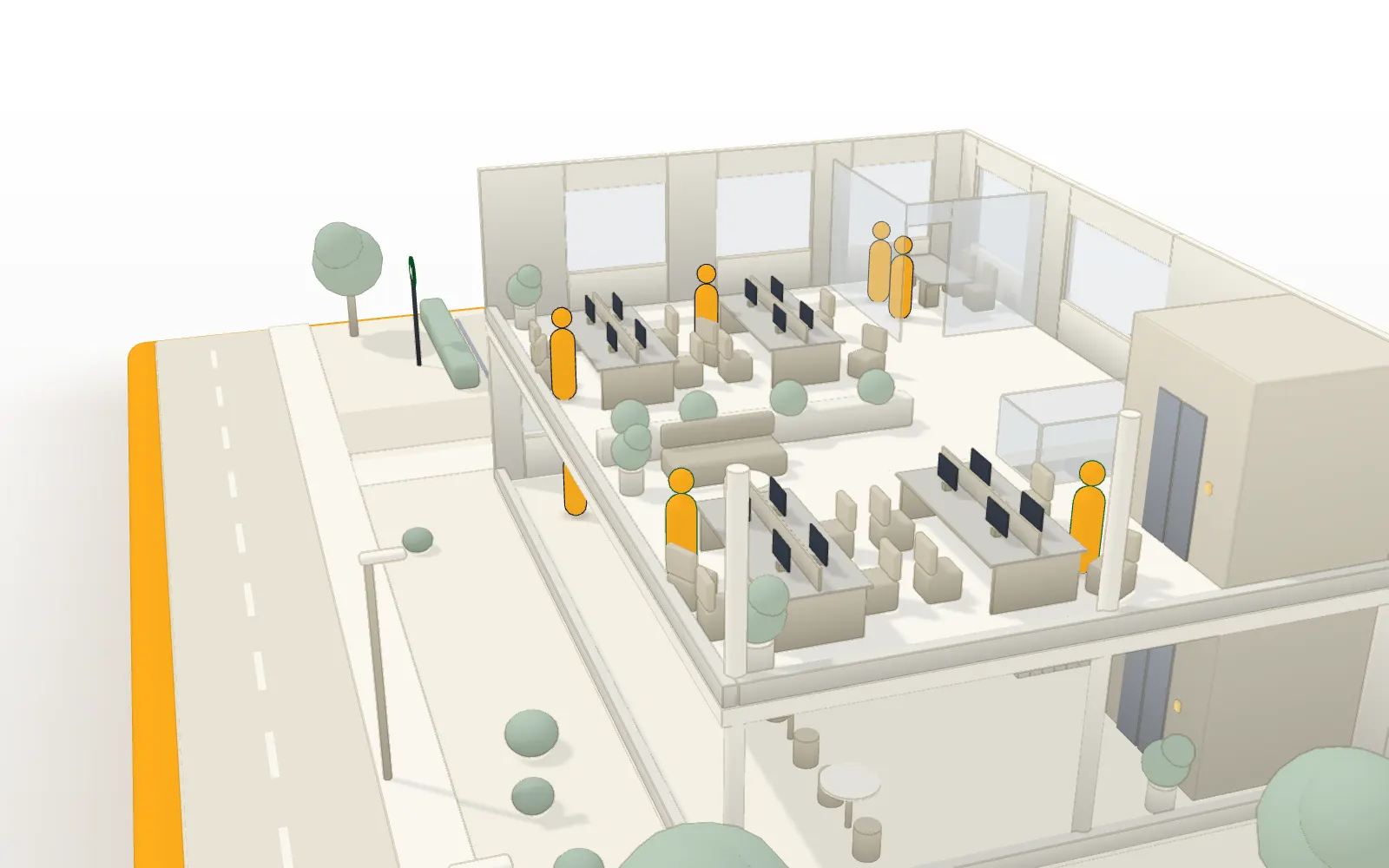
One front desk for the whole building.
One kiosk serves every company, so its look belongs to the building.
- Visitors find their host by typing a name, and each match shows the host's company.
- A deliveries desk logs the parcel, tells the recipient, and records when it is collected.
- Each site can show its own logo, colour, name, welcome text and privacy notice, plus scheduled on-screen notices.
Each tenant sees only its own.
A tenant admin manages their own company’s people and sees their own company’s visitors, and can’t change anything that belongs to the building as a whole.
- A tenant admin adds and removes hosts and other tenant admins for their own company only; the kiosk, documents, tablets, watchlist and fire roll-call stay with the building's managers.
- There are six roles: owner, site manager, front desk, warden, tenant admin and host. An organisation can have more than one owner, and the last owner can't be removed.
- Every record is kept separate for its organisation and, inside a building, for the right site or tenant.
Your own staff, from your directory.
Directory sync is part of Enterprise identity, priced per organisation. People who aren’t in your directory, such as a tenant company’s own staff, are added one at a time, by you or by its tenant admin: there is no bulk import for staff.
- SCIM directory sync adds new staff as hosts, removes access for leavers and ends their sessions, every four hours or on demand, with a Microsoft Entra guide.
- Directory sync adds people as hosts in the tenant company whose name matches their department, or in the default tenant you choose, and leaves anyone unmatched in the directory until you place them. It connects one directory, your organisation's own, so a tenant company's own directory can't be connected.
One roll-call for the building.
It belongs to the building: wardens run it, and tenant admins don’t.
- Starting a roll-call snapshots everyone signed in at the site, whichever company they came for, and wardens mark people as accounted for from their phones.
- Fire wardens have a role of their own.
- Visitors who forget to sign out are signed out at midnight, and managers get a digest email.
Honest limits
Where the edges are.
What a shared building should know before it starts.
- The kiosk never asks which company a visitor is visiting. A visit takes the company of the host the visitor chooses.
- A visitor who types a name instead of choosing a host, or has no host, has no company on the visit. Tenant admins don’t see it; the building’s managers do.
- Staff who sign in with a PIN have no company on the visit either, so tenant admins don’t see them on the live list; the building’s managers do.
- Branding belongs to the building. The kiosk shows the building’s logo, colour and welcome text, and each host’s company beside their name.
- Tenant companies share one database. Tenant admins are kept to their own company by the service’s access rules; there is no separate database for each tenant.
What a shared-building desk doesn’t do yet
We’d rather you heard it from us before the demo.
- Printed visitor badges are not available yet. Planned
- Access control integrations are not available yet. Planned
- ID scanning is not available yet. Planned
FAQ
Questions buyers ask us.
What is multi-tenant visitor management?
Multi-tenant visitor management is visitor management for a building where several companies share one front desk. ReceptionOS keeps one kiosk and one list of who is on site for the building, and gives each tenant company an admin who sees only their own people and visitors.
How does a visit get linked to the right tenant?
From the host. The kiosk never asks which company a visitor is visiting: the visit takes the company of the host the visitor chooses. A visitor who types a name instead of choosing a host has no company on the visit, so only people with building-level access see it.
What can a tenant admin do?
A tenant admin adds and removes hosts and other tenant admins for their own company, and sees their own company’s people and visitors. The kiosk, documents, tablets, watchlist and fire roll-call stay with the building’s managers.
Can each tenant have its own logo on the kiosk?
No. Branding belongs to the building: one logo, colour and welcome text for each site, with each host’s company beside their name. Scheduled on-screen notices, such as a weekly fire alarm test, are set for the site too.
How are tenants’ records kept apart?
Every record belongs to an organisation and, inside a building, to a site. A visit also carries the company of the host chosen from your directory. Tenant admins are kept to their own company’s people and visitors by the service’s access rules. Tenant companies share one database; there is no separate database for each tenant.
How do we add a tenant’s staff?
One at a time in the admin portal, as hosts or tenant admins, by you or by the company’s own tenant admin; there is no bulk import for staff. A tenant company’s own directory can’t be connected. With Enterprise identity, directory sync connects your organisation’s own directory, and adds the people in it as hosts in the company whose name matches their department.
See it on your own front desk.
Book a 20-minute demo on video, or on site in South Wales. If it fits, we’ll set up a 30-day pilot on a tablet you already own.
In 20 minutes we’ll show you:
- The kiosk in English, then Cymraeg
- A contractor held for approval
- A host’s email arriving
- A live roll-call across two phones, one losing signal
We reply within one working day.
